Sir We Have an Orc Problem Sir, We Have an Orc Problem Tools
Planning helpers for upgrade order, build experiments, and campaign pacing on Steam.
What this tools hub is for
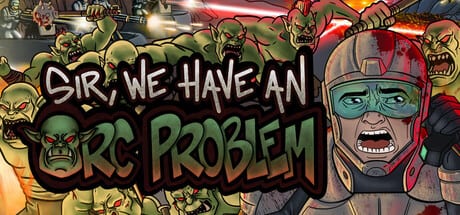
Sir, We Have an Orc Problem asks you to make the same decision dozens of times: which meta upgrade node comes next after a win or loss. Guides explain principles; tools turn those principles into clickable plans you can follow mid-session without alt-tabbing into a spreadsheet. This Tools Hub collects interactive helpers built for the Mumpitz Games incremental tower defense campaign on Steam.
The flagship tool is the Upgrade Planner - a focus-based unlock order picker covering economy, combat, abilities, and balanced routes. Use it after reading Upgrade Priority and before pushing maps in Mid-Game Walkthrough when your tree feels lopsided.
When to use tools versus guides
Guides like Economy and Meta Progression teach why payout percentage nodes matter. Tools apply that advice to a ordered checklist you can mark done between runs. Reach for tools when:
- You stare at the upgrade tree for two minutes every attempt
- You keep buying combat nodes while economy lag causes slow payouts
- You reset accounts mentally because you fear “wrong” picks
- You return after a break and forgot your previous spending plan
Stick to guides when learning new systems - Getting Started, How to Play, and Choke Points still come first.
Upgrade Planner overview
The planner on Upgrade Planner page offers four focus modes:
Economy first - prioritizes end-of-battle payout, cost reductions, and nodes that make losses productive. Best for early campaign and demo veterans rushing new maps.
Combat first - chases Gunner damage, Flamethrower ticks, Mortar splash, and tower cap increases. Best when placement is correct but DPS fails speed checks.
Abilities first - unlocks and cools down bombing runs, orbital lasers, and nukes. Best when mid-game leaks happen during ability downtime.
Balanced push - alternates economy and combat so no track falls more than one node behind. Default recommendation for first full clears.
Each step links conceptually to pages like Combat Upgrades, Economy Upgrades, and Bombing Runs for deeper reading.
Tool workflow with walkthroughs
Pair tools with stage-based content:
- Early Levels Walkthrough + Economy-first planner
- Mid-Game Walkthrough + Balanced or Abilities-first planner
- Late-Game Walkthrough + Combat-first planner for final DPS checks
Mark planner steps done only after purchasing the node in-game. The hint on the planner page bears repeating: losing a run still pays meta currency - spend it before retrying the same map.
Future-friendly design
This hub is structured to add calculators later - damage estimation, tower cap breakpoints, or ability cooldown timelines - without rewriting guide prose. New tools will cross-link from Guides Hub and relevant Turret Tier List updates when mechanics change in post-launch patches.
Who benefits most
- Incremental fans who love ordered checklists
- Players juggling multiple tower types unlocked mid-campaign
- Demo graduates unsure which full-release nodes matter first
- Min-maxers farming the final map for leftover tree completion
Casual players who prefer intuition can ignore tools entirely - the campaign is completable with guide reading alone.
Related wiki sections
Tools complement Upgrades reference material and Controls efficiency tips. For opinionated pacing context, see Game Review. For narrative-free map tactics, jump to the Walkthrough Hub.
Frequently Asked Questions
Quick answers to the most common questions.
Do I need tools to finish the campaign?
No. Tools optimize spending order. Guides and walkthroughs alone are enough for a four-to-six-hour clear.
Which planner focus should beginners use?
Economy first for the opening maps, then switch to Balanced push when Mortars and abilities unlock in mid game.
Does the planner replace Upgrade Priority guide?
No - read Upgrade Priority for reasoning, then use the planner as a step-by-step checklist during play.
Will more tools be added to this hub?
The hub is designed for future calculators. The Upgrade Planner is the primary tool at launch.