Sir We Have an Orc Problem Upgrades Hub
Every run feeds the tree - wins and losses both count.
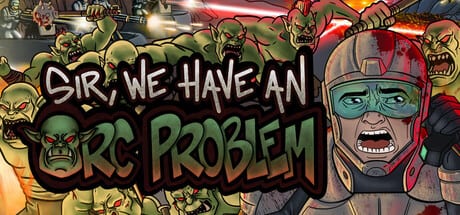
Sir, We Have an Orc Problem is built around a persistent upgrade tree that carries between missions. Whether you hold the trench line or lose a few orcs to the base, the meta currency you earn can be spent immediately on new nodes. That loop is the heart of the incremental tower defense experience: retry a map with stronger Gunners, wider missile blasts, or better end-of-battle payouts until the horde stops feeling impossible.
This hub collects every upgrade-focused page on the wiki. Use it when you are deciding what to buy next, how two branches compare, or whether you should farm an earlier level before pushing forward.
How the upgrade tree works
After each battle you return to the skill tree UI. Nodes cost one or more currencies, and many branches gate later options behind earlier picks. Some upgrades affect run income (flat bonuses or percentage boosts to resources gained at the end of battle), others raise base HP, unlock tower types (Gunner, Flamethrower, Mortar, Cannon), improve missile and ability stats, or add combat modifiers such as Headhunter and Power Shot.
The game also distinguishes reward types: you earn resources for surviving a level, and a separate payout for perfect clears where every orc dies before reaching the base. Planning around both income streams is part of smart progression. The Economy Meta guide walks through farming routes and when a clean run is worth chasing.
What to read first
If you only open one child page, start with Upgrade Priority. It explains a practical unlock order for early campaign maps, when to stop buying Gunner damage and pivot to tower slot caps, and how demo additions like Damage Statistics help you judge whether a node paid off.
From there, split your reading by goal:
- Economy Upgrades - end-of-battle gains, base HP, maximum tower counts, and other nodes that make every future run richer or safer.
- Combat Upgrades - direct damage, fire rate, penetration, explosion radius, and tower-specific paths for Gunner, Flamethrower, Mortar, and Cannon.
- Bonus Resources - flat vs scaling payout nodes and the June surrender rule that changes farm etiquette.
Planning tools and related guides
Numbers on the tree change as Mumpitz Games patches the demo and full release. Instead of memorising every cost, use the Upgrade Planner to pick an economy-first, combat-first, or balanced route and tick off nodes as you unlock them.
Tower choice and upgrade choice overlap. A Flamethrower-heavy layout cares about different nodes than a Mortar wall at the choke point. Cross-check your plan with the Turret Tier List so you are not sinking points into a tower you will bench two levels later.
Typical progression arc
Most players follow a similar shape across the four-to-six-hour campaign:
- Unlock Gunner and a few economy nodes so failed runs still move the bar.
- Raise missile damage or radius for manual wave control while tower DPS is low.
- Expand tower caps and unlock Flamethrower, Mortar, or Cannon based on map geometry.
- Branch into abilities - bombing runs, orbital lasers, nukes - once turret lines stabilise.
- Buy quality-of-life nodes such as Damage Statistics and Headhunter when you need data or burst damage for elite waves.
Late maps with tens of thousands of orcs punish greedy combat-only trees. A single Economy Upgrades node that adds five percent to end-of-battle income often pays for itself within a few retries, which is why the priority page recommends income before expensive cap upgrades unless you are hard-stuck on survival.
Abilities vs permanent upgrades
Missiles are available from the first level, but their damage, blast size, and cooldown live on the same tree as turrets. Treat ability nodes as part of your overall budget, not a separate system. The Abilities Hub covers strafing runs, orbital lasers, and nukes; pair that reading with Combat Upgrades when you are splitting points between Gunner penetration and missile radius.
When to farm vs when to push
Because losses still grant currency, repeating a level you almost cleared is valid incremental play. Farm when the next node costs more than two or three runs of income; push when a single HP or slot upgrade would clearly stabilise the current map. The planner tool encodes that rhythm with step labels you can mark done after each purchase.
Keep this hub bookmarked
New demo patches add nodes regularly - recent examples include Headhunter, Damage Statistics, and Power Shot. When patch notes land, we update the child pages first, then refresh this hub with links to anything that changes the recommended route. For controls and battle-phase shortcuts while you spend points, see the guides section from the home page.
Quick reference links
| Topic | Page |
|---|---|
| Unlock order | Upgrade Priority |
| Income and HP | Economy Upgrades |
| Tower damage paths | Combat Upgrades |
| Payout bonuses | Bonus Resources |
| Damage Statistics | Damage Statistics Guide |
| Interactive route | Upgrade Planner |
| Farming strategy | Economy Meta |
| Tower roles | Turret Tier List |
| Patch context | Patch Notes |
Frequently Asked Questions
Quick answers to the most common questions.
Do I keep upgrades if I lose a level?
Yes. Meta purchases are permanent on your save file. Losing still grants currency you can spend before retrying the same map or moving on.
Which upgrade page should beginners read first?
Start with Upgrade Priority, then Economy Upgrades if you feel income-starved, or Combat Upgrades if you survive but lack damage.
Are ability upgrades part of this tree?
Missile stats and unlocks for bombing runs, orbital lasers, and nukes are nodes on the same tree. See the Abilities Hub for ability-specific timing.
How does the Upgrade Planner relate to these pages?
The planner turns the written priority routes into a checklist. Pick a focus, follow the steps, and mark nodes done as you buy them in-game.